
Create an account
Follow these steps to create your HeyCoach account on heycoach.ai.
Before you start
You'll need:
- A valid email address (used for sign-in, billing receipts, and password recovery)
- A password at least 8 characters long
Step 1: Open the registration page
- Go to heycoach.ai
- Click Create account, or open heycoach.ai/register directly
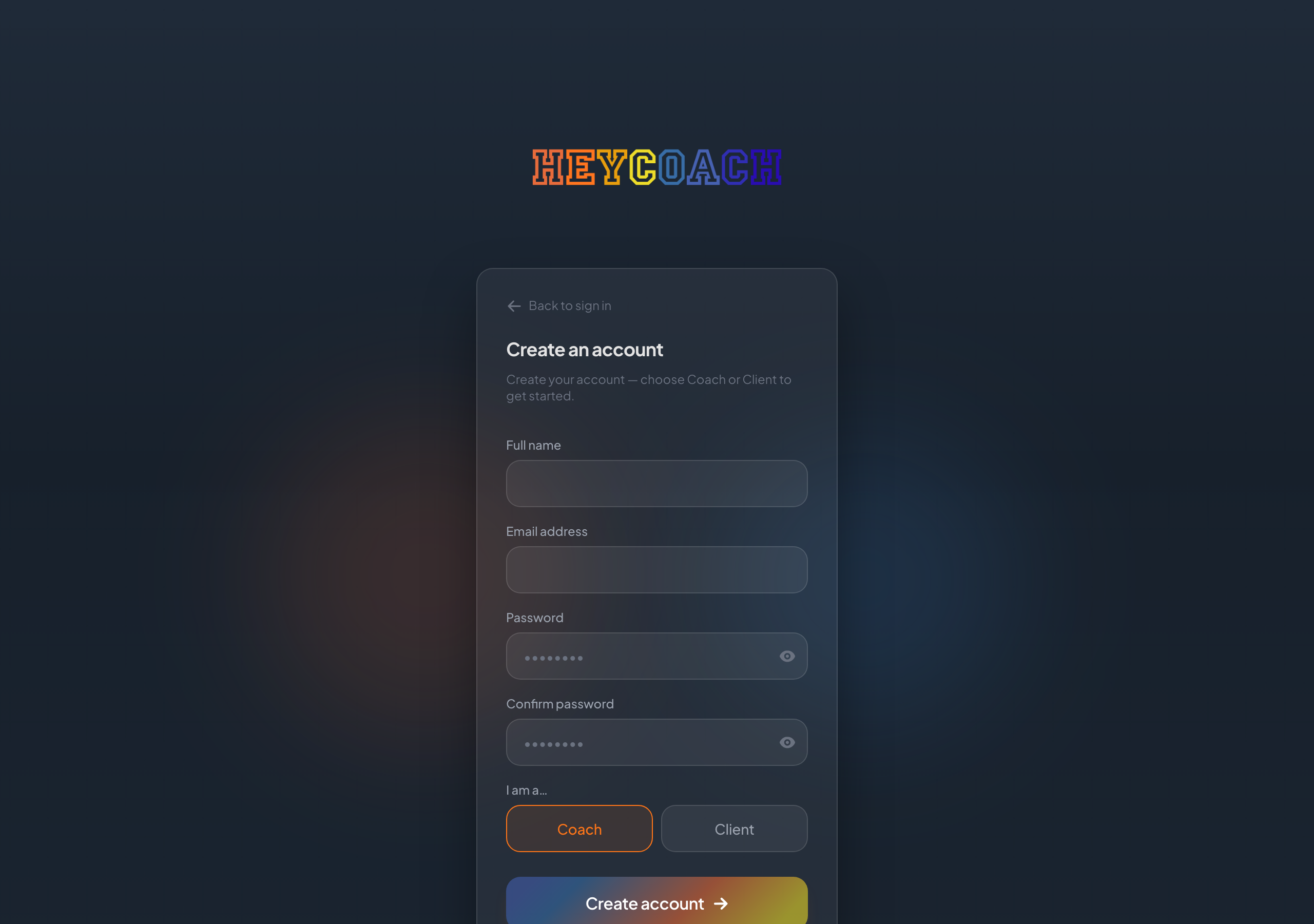
Step 2: Fill in your details
Enter:
- Full name - how you'd like to be addressed in the app
- Email address
- Password and Confirm password (must match)
Use the eye icon next to the password fields if you want to check what you typed.
Step 3: Choose Coach or Client
Under I am a…, select your account type:
| Choice | Choose this if… |
|---|---|
| Coach | You run a coaching business and manage clients and programs |
| Client | A coach invited you, or you're joining to access their programs |
Step 4: Submit
Click Create account.
If something goes wrong, you'll see a message on the form. For example, if passwords don't match or an account with that email already exists.
After a successful registration you're signed straight into your account — coaches land on the Dashboard, clients on Programs.
Use a correct email. There's no email verification step, so double-check your address at signup. It's used for sign-in, billing receipts, password recovery, and (for clients) linking to your coach's roster.
Troubleshooting
"An account with this email already exists"
You may have registered before.
Go to Sign in or use Reset your password if you forgot it.
"Passwords don't match"
Re-enter both password fields carefully. They must be identical.
"Password must be at least 8 characters"
Choose a longer password.