
Billing & payouts
The Billing page is your financial hub as a coach. It covers two separate things:
- What you pay HeyCoach (your platform subscription)
- What clients pay you (payouts, balance, and purchases)
Open it from the header: Billing.
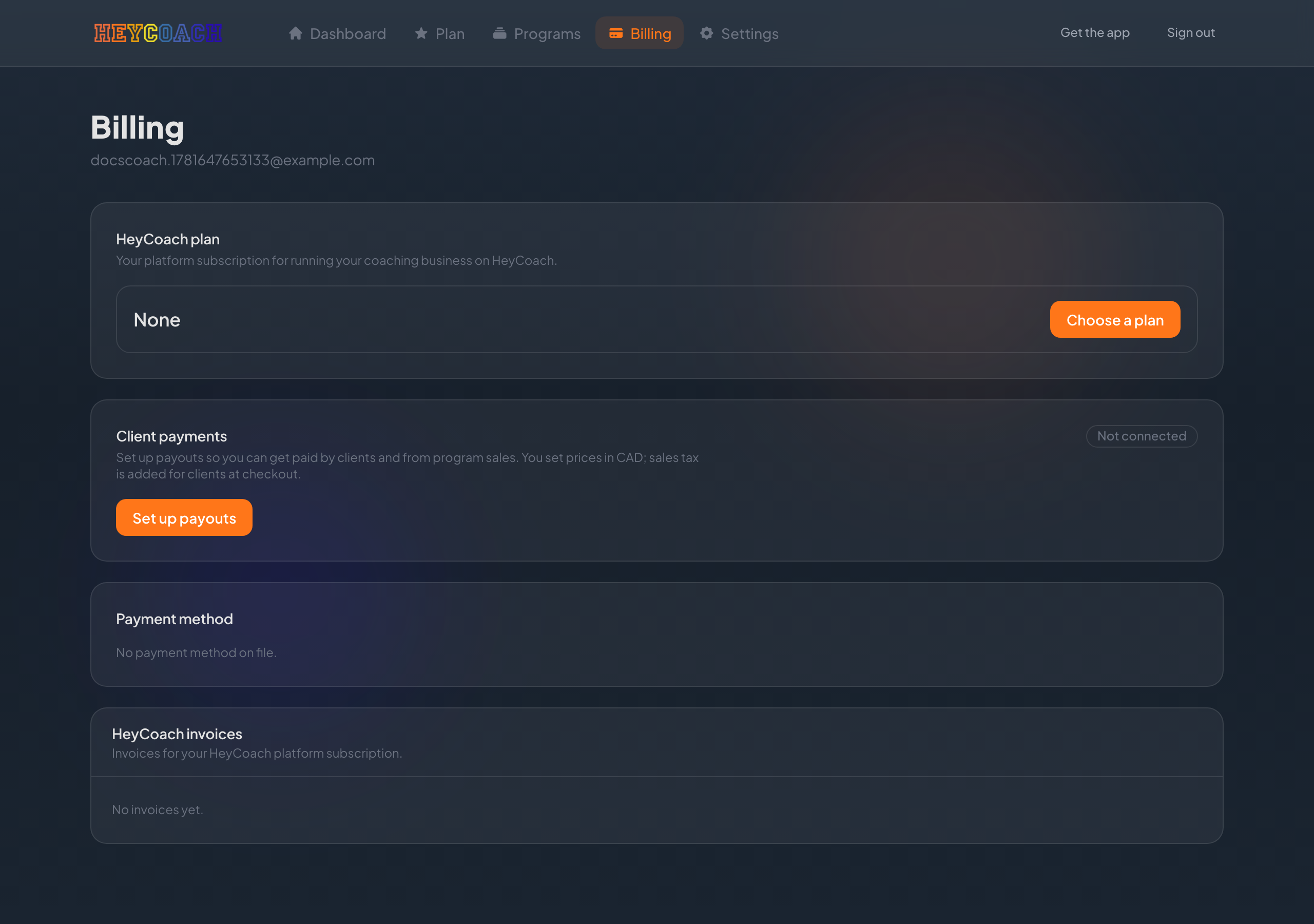
Page overview
The Billing page has several sections, top to bottom:
| Section | What it is |
|---|---|
| HeyCoach plan | Your platform subscription to HeyCoach |
| Client payments | Payout setup so you can receive money from clients |
| Balance | Available and pending funds (after payout setup) |
| Recent activity | Charges, payouts, and refunds |
| Payout history | Past payouts to your bank |
| Client purchases | Who bought your client plans or programs |
| HeyCoach invoices | Invoices for your platform subscription |
HeyCoach plan (platform subscription)
This is your subscription to HeyCoach - not what clients pay you.
- Shows plan name, price, and Active status
- Renews or Cancels date
- Manage subscription - opens Stripe to update payment method, view invoices, or cancel
- Choose a plan - if you don't have an active subscription yet
See HeyCoach plan for choosing a tier.
Client payments (payout setup)
Before clients can pay you, complete payout setup once.
Status badge:
| Badge | Meaning |
|---|---|
| Not connected | You haven't started setup |
| Setup incomplete | Started but not finished - click Continue setup |
| Ready | You can receive client payments |
Set up payouts
- Click Set up payouts (or Continue setup)
- You'll be guided through identity and bank details (handled securely by our payment partner)
- When finished, you'll return to Billing automatically
- Status should change to Ready
After setup is ready
- Payout dashboard - view payout details and account settings
- Manage client plans - go to Client plans to create subscription plans for roster clients
Important: You set prices in CAD. Sales tax is added for clients at checkout.
Balance
Once payouts are ready:
- Available - money you can receive in your next payout
- Pending - payments still being processed
Also shows whether charges and payouts are enabled on your account.
Recent activity & payout history
- Recent activity - individual charges, payouts, and refunds
- Payout history - deposits sent to your bank account
Use these to reconcile what clients paid with what landed in your account.
Client purchases
A table of purchases from your roster clients, showing:
- Client name
- Plan name
- Amount
- Status (active, canceled, etc.)
- Renewal or expiry date
This reflects client plans and related subscriptions - not your HeyCoach platform bill.
HeyCoach invoices
Download PDF invoices for your platform subscription. To update your payment method or cancel, use Manage subscription in the HeyCoach plan section (opens Stripe).
Troubleshooting
Payout setup won't complete
- Use Continue setup and finish all required steps
- Make sure bank details are correct
- Return to Billing via the link after setup - the page refreshes your status automatically
I don't see balance or client purchases
Payout setup must be Ready first. Until then, those sections stay hidden.
Client paid but I don't see it
- Check Recent activity and Client purchases
- Pending payments may take time to move to Available
- Confirm the client completed checkout successfully
I want to cancel my HeyCoach subscription
Billing → HeyCoach plan → Manage subscription → cancel in the Stripe portal. This does not affect client plans or client payments.