
HeyCoach plan
Your HeyCoach plan is what you pay HeyCoach to use the platform as a coach. It's separate from the plans your clients pay you.
Open it from the header: Plan.
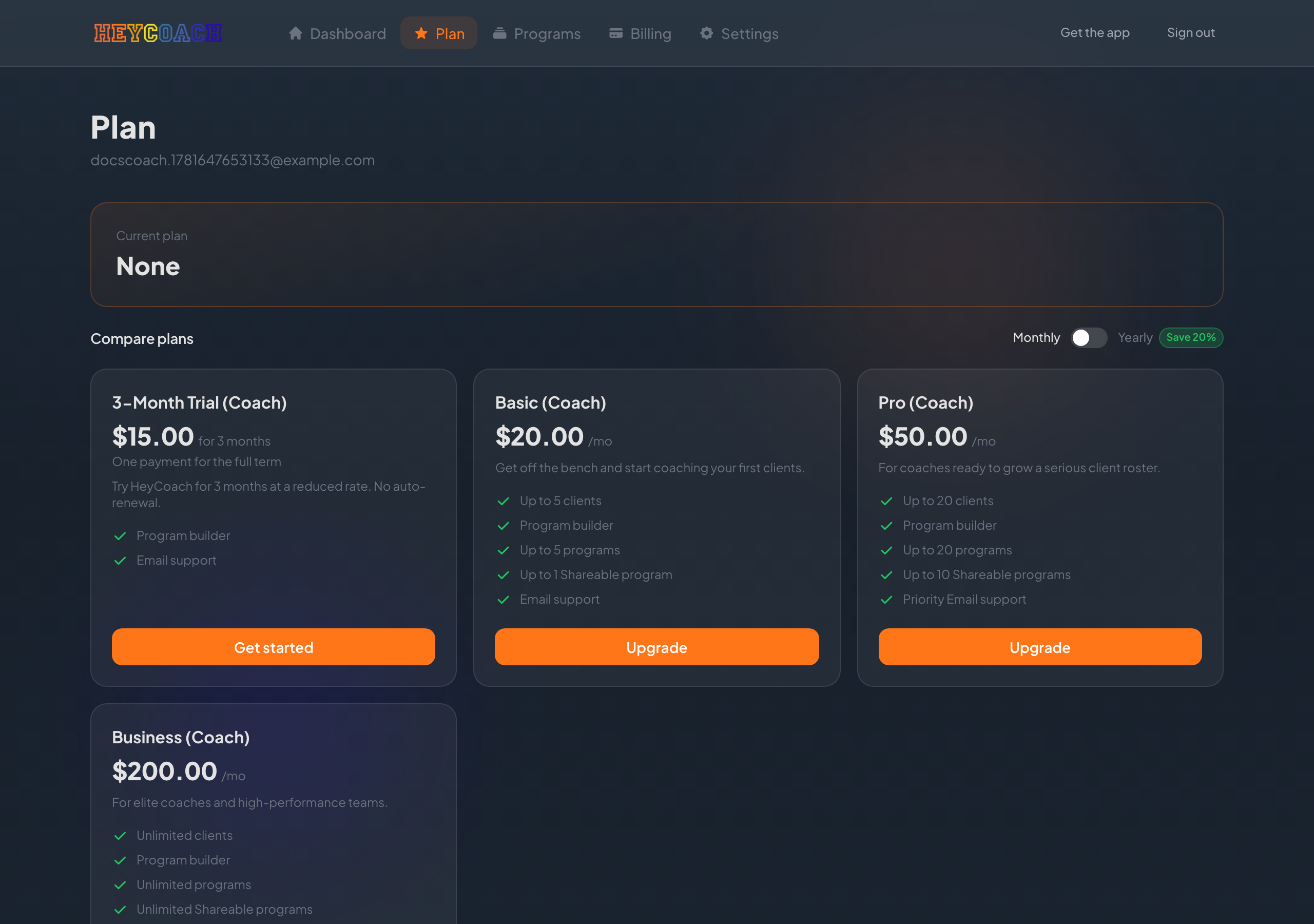
HeyCoach plan vs client plans
| HeyCoach plan | Client plans | |
|---|---|---|
| Who pays | You (the coach) | Your clients |
| What it's for | Using HeyCoach (limits, features) | Ongoing access to your coaching |
| Where to manage | Plan and Billing pages | Client plans page |
Don't confuse your platform subscription with the plans you create for clients.
Current plan summary
At the top, you'll see your active plan (if any), its status, and renewal or cancellation date.
Choosing monthly or yearly
Use the Monthly / Yearly toggle to compare billing intervals.
- Yearly plans may show a savings badge compared to paying monthly
- Prices are shown before tax; tax is added at checkout where applicable
Plan cards
Each card shows:
- Plan name and price
- Features and limits (e.g. number of clients and programs)
- A button:
- Get started - if you don't have a plan yet
- Upgrade / Downgrade - to change tiers
- Current plan - if you're already on that tier
Click the button to go to secure checkout (Stripe).
After checkout
- You'll return to a confirmation page
- Your plan syncs to HeyCoach automatically
- You're redirected to your Dashboard
If checkout succeeded but your plan doesn't appear, use the Retry option on the banner if shown, or refresh after a minute.
Managing your subscription later
From Billing → HeyCoach plan → Manage subscription:
- Update your payment method
- View invoices
- Cancel or change your plan (via Stripe's customer portal)
Troubleshooting
"No active plan" on Dashboard
Visit Plan and choose a tier, or check Billing if you believe you're already subscribed.
I need more clients or programs than my plan allows
Upgrade to a higher tier on the Plan page.
Checkout didn't sync
Wait a minute and refresh. If your plan still doesn't show, use any recovery banner on the Plan page or contact support with your checkout confirmation.